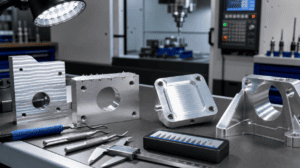
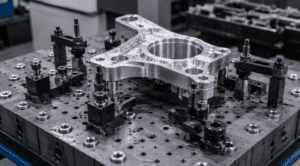
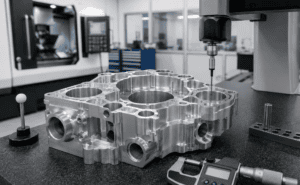
A fast and accurate cnc machining quote does not start with a price table. It starts with a complete, readable manufacturing package. When a machining supplier receives only a screenshot, an incomplete 3D model, or a drawing with missing tolerances, the quoting team has to stop and ask questions before they can estimate material, machine time, setup, inspection, surface finish, and delivery risk.
For buyers, that delay matters. A weak RFQ package can slow down sourcing, create inconsistent supplier prices, or hide design risks until production. A strong package helps the CNC shop understand exactly what must be made, how tightly it must be controlled, and where engineering judgment is allowed. The result is usually a faster response, fewer clarification emails, and a quote that is closer to the final manufacturing cost.
This guide explains how to prepare CAD files, drawings, and supporting information before requesting a CNC machining quote. Use it as a practical CNC quote checklist before you send files to Easiahome.
Why File Preparation Affects Your CNC Machining Quote
CNC quoting is a technical review, not just an administrative step. A supplier has to decide which machines can make the part, how many operations are required, what tools and fixtures are needed, whether the material is available, and how much inspection work is involved. Every missing detail adds uncertainty, which can become a higher price, a longer lead time, or a request for revised files.
A complete quote package helps the supplier answer three questions quickly: What is the nominal shape of the part? Which features are critical? What production conditions must be included in the price? The CAD model answers the first question. The technical drawing answers the second. The RFQ notes answer the third.
If your part is still being designed, review the Design for CNC Machining DFM checklist before sending the RFQ. Small changes to pocket depth, corner radius, wall thickness, and tolerance strategy can have a large impact on price.
Start With a Clean STEP File
The most useful 3D file for CNC machining is usually a STEP file. Native CAD formats can be helpful when the supplier uses the same software, but STEP is widely accepted and keeps the part geometry clear across different systems. Send one STEP file for each unique part number, and make sure the file represents the exact revision you want quoted.
Before sending the file, open it in a neutral viewer or re-import it into your CAD system. Check that the part is solid, not a collection of broken surfaces. Confirm that holes, pockets, chamfers, bosses, ribs, threads, and mounting features are present. Missing faces, duplicate bodies, and suppressed features can make the model hard to program and may force the supplier to quote with assumptions.
Use clear filenames. A filename such as EH-2451_housing_revB_STEP.stp is much more useful than final_new_version_3.stp. Include the part number, part name, and revision level. If your drawing and model have different revisions, the supplier must pause and confirm which one controls the quote.
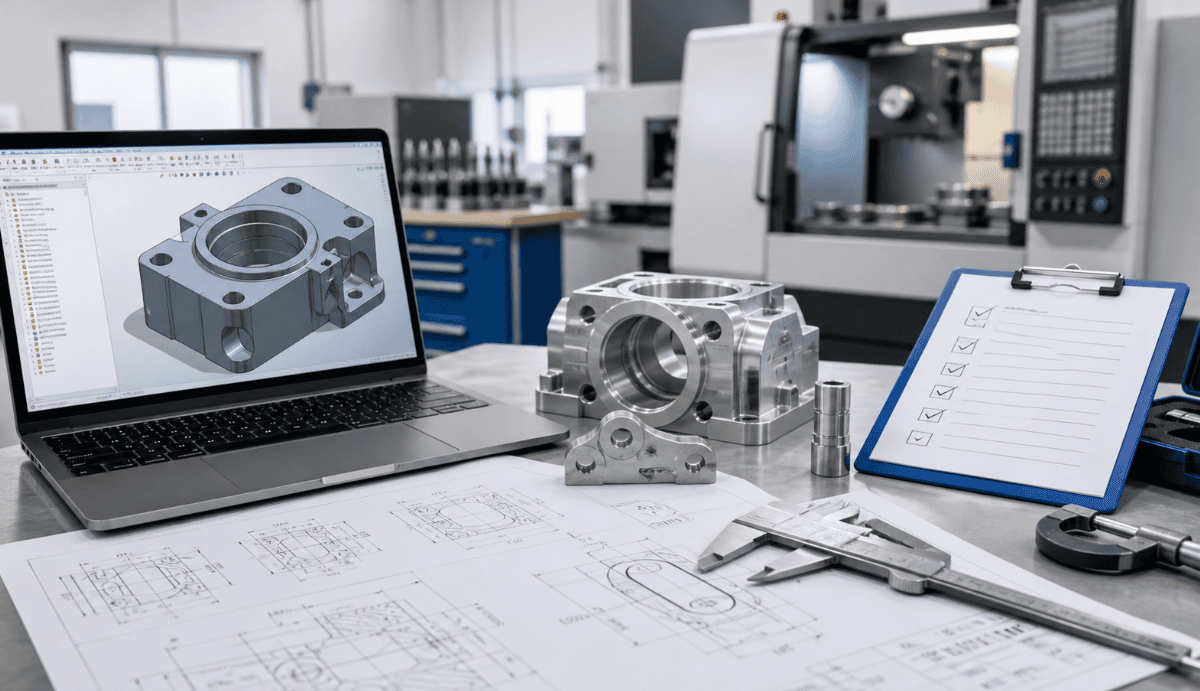
Do Not Rely on the 3D Model Alone
A 3D model defines geometry, but it does not always define manufacturing intent. The supplier can see the shape, but not necessarily which dimensions matter most. A technical drawing gives the quoting engineer the information that cannot be safely guessed from the model.
At minimum, the drawing should include overall dimensions, critical feature dimensions, hole sizes, thread specifications, datums, tolerances, material, surface finish, and revision information. If the part has cosmetic faces, sealing surfaces, bearing seats, alignment holes, or other functional areas, mark them clearly. If some dimensions are reference only, label them as reference.
For threaded holes, define the thread size, depth, and whether the depth is full thread or drill depth. For reamed holes, dowel holes, bearing bores, and press-fit features, include the tolerance class or exact limits. These details allow the supplier to estimate tooling, inspection, and machining strategy without guessing.
If you need help setting realistic tolerance expectations, use Easiahome’s CNC machining tolerances guide as a reference before requesting a quote.
Separate Critical Tolerances From General Tolerances
One common reason a CNC machining quote becomes expensive is over-tolerancing. If every dimension is held tightly, the supplier has to quote more inspection time, slower machining, and more risk. This is especially true for prototypes, small batches, and parts with thin walls or deep cavities.
Use a general tolerance standard for noncritical dimensions, then call out tighter tolerances only where function requires them. For example, a mounting plate may not need tight tolerances on every outside edge, but it may need precise hole location between two dowel holes. A housing may not need all surfaces held to the same profile tolerance, but it may need a sealing face controlled carefully.
If your drawing uses GD&T, make sure the datum structure is clear. A supplier should be able to understand how the part will be located during inspection and how critical features relate to each other. Avoid floating tolerances without datums or requirements that are tighter than the assembly actually needs.
Include Material, Finish, and Heat Treatment Requirements
Material information has a direct impact on price and lead time. State the exact material grade, standard, and condition whenever possible. For example, “6061-T6 aluminum” is more useful than “aluminum.” “304 stainless steel” is more useful than “stainless steel.” If equivalent materials are acceptable, say so. This gives the supplier room to suggest available stock or a cost-effective alternative.
Surface finish should also be defined clearly. If the part needs anodizing, passivation, powder coating, bead blasting, polishing, black oxide, or plating, include the finish specification and color. If masking is required for threaded holes, grounding areas, sealing faces, or tight-tolerance bores, add that note to the drawing or RFQ. Finishing can affect both cost and delivery time, especially when outside processing is involved.
Heat treatment, hardness, and post-machining processes must be included before quoting. A part machined after heat treatment may require different tooling and setup than a part machined first and treated later.
State Quantity, Lead Time, and Quote Scope
A CNC quote is not complete without quantity. One prototype, ten pilot-run parts, and five thousand production parts may require very different pricing logic. Setup time is spread across the batch, fixtures may or may not be justified, and inspection plans can change with volume.
Send the target quantity and any expected repeat orders. If you need both prototype and production pricing, ask for separate price breaks, such as 1 piece, 10 pieces, 50 pieces, and 200 pieces. This helps purchasing compare development cost against production cost.
Lead time expectations should be realistic and explicit. If you need an urgent prototype, say so. If you need a stable production schedule, share the expected order frequency. The quoting team can then check material availability, machining capacity, outside processing time, and inspection workload. Easiahome’s CNC machining lead time guide explains the main factors that affect delivery.
Identify Features That May Drive Cost
Some features are easy to overlook during design but important during quoting. Deep pockets, small internal radii, long thin walls, tight flatness requirements, complex 5-axis surfaces, undercuts, micro holes, and hard-to-reach threaded features can all affect machining time and fixture strategy.
If the part has areas that can be modified, tell the supplier. A note such as “internal corner radius may be increased if it reduces cost” can lead to a better manufacturing plan. If a cosmetic surface cannot have visible tool marks, mark it. The more clearly you describe the design intent, the easier it is for the supplier to quote the right process.
For parts that need consistent quality across repeat orders, fixture planning may be part of the quote. See Easiahome’s article on CNC fixture design for repeatable precision machined parts if your component has multiple setups, tight datum relationships, or production-volume requirements.
CNC Quote Checklist Before You Send the RFQ
Use this CNC quote checklist before sending files:
- STEP file for each unique machined part
- PDF technical drawing with part number and revision
- Material grade, standard, and condition
- Surface finish, coating, color, and masking notes
- Critical tolerances, datums, and GD&T requirements
- Thread details, hole depths, and insert requirements
- Quantity, price breaks, and expected annual demand
- Target lead time and delivery location
- Inspection reports, certificates, or quality documentation
- Any acceptable design, material, or finish alternatives
When these items are included, the supplier can review the project faster and provide a more reliable cnc machining quote. When several items are missing, the quoted price may include extra risk.
How Easiahome Reviews CNC Machining Quote Requests
When Easiahome receives a CNC machining RFQ, our team reviews the CAD model, drawing, material, tolerance requirements, finishing process, quantity, and delivery needs together. We look for manufacturing risks, cost-saving opportunities, and missing information that could affect price or lead time.
For straightforward parts, a complete package can usually move through review quickly. For complex parts, we may suggest DFM adjustments, tolerance clarification, fixture planning, or alternative finishing options. The goal is to help you receive parts that match the design intent, budget, and schedule.
If you are ready to request a cnc machining quote, send your STEP file, technical drawing, quantity, material, and finishing requirements through Easiahome’s CNC machining services page. If some information is still uncertain, include your best current assumptions and note where supplier feedback is welcome.
FAQ: Preparing Files for a CNC Machining Quote
Can I get a CNC quote with only a STEP file?
Sometimes, yes, but the quote may include assumptions. A STEP file can define geometry, but a technical drawing is still important for tolerances, threads, surface finish, material notes, and inspection requirements.
What file format should I send for CNC machining?
A STEP file is usually the best 3D format for quoting. You should also send a PDF technical drawing. If you have native CAD files, you can include them as references, but the STEP and drawing should control the quote package.
What information causes the most quoting delays?
The most common delays come from missing material grades, unclear tolerances, incomplete thread details, no quantity, no surface finish information, and mismatch between the CAD revision and drawing revision.
Should I ask for design feedback before production?
Yes. If cost, manufacturability, or lead time matters, ask the supplier to review the part for DFM issues before final production. Small changes can reduce machining time, improve stability, and make the quote more predictable.
Conclusion
A reliable cnc machining quote depends on clear technical information. Send a clean STEP file, a complete technical drawing, realistic tolerances, material and finish requirements, quantity, lead time expectations, and any required inspection documents. This gives the supplier the context needed to quote accurately and helps your team move from RFQ to production with fewer surprises.